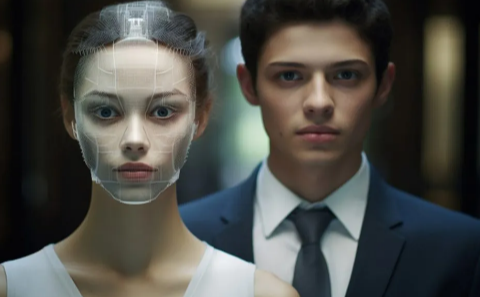
The demand for high-quality face swap technology has exploded. What started as a novelty filter has matured into a professional-grade creative tool used by content creators, marketers, and video producers worldwide. After two weeks of testing the leading platforms with hundreds of images and videos, I’ve identified the tools that deliver genuine value in 2026.
Whether you’re creating viral content for TikTok, producing marketing campaigns, or building creative video projects, I guarantee at least one of these tools will meet your needs.
Quick Comparison: The Best AI Face Swap Tools at a Glance
| Tool | Best For | Modalities | Platforms | Free Plan | Starting Price |
| Magic Hour | All-around creative production | Image, Video, GIF | Web, Mobile | Yes (400 credits) | $12/month |
| Reface | Viral social content | Image, Video, GIF | iOS, Android | Yes (with watermark) | $2.49/week |
| DeepSwap | High-quality video swaps | Image, Video, GIF | Web | Limited trial | $9.99/month |
| Pixlr Face Swap | Quick photo edits | Image | Web | Yes | Free with ads |
| FaceMagic | TikTok-style content | Video, Image | iOS, Android | Yes (limited) | $9.99/month |
| Pica AI | Multi-face swaps | Image, Video | Web, Mobile | Yes (limited) | $5.99/month |
| Remaker AI | Fast, free swaps | Image, Video, GIF | Web | Yes | Free |
| Banuba SDK | Developer integration | Real-time AR | iOS, Android, Web | No | Custom pricing |
| FaceSwap.dev | Open-source control | Image, Video | Desktop | Yes | Free |
| DeepFaceLab | Professional deepfakes | Image, Video | Desktop (Windows) | Yes | Free |
1. Magic Hour – Best Overall AI Face Swap Tool
Magic Hour has become the go-to platform for creators who need studio-quality results without technical expertise. The platform combines powerful AI face swap capabilities with an intuitive interface that works seamlessly across photos, videos, and GIFs.
After spending a week testing Magic Hour against competitors, the difference in output quality became clear. The tool handles challenging lighting conditions, multiple angles, and fast movement better than most alternatives.
Pros:
- 4K output quality with exceptional detail preservation
- Automatic lighting adaptation creates natural-looking swaps
- Face-to-face mapping for multi-person videos
- Commercial use licensing included
- No software installation required
- Frame-by-frame precision for video content
- API access available for high-volume workflows
Cons:
- Free plan includes watermark
- Credit system can be limiting for heavy users
- Video processing time increases with length
If you’re looking for a platform that delivers professional results while remaining accessible to beginners, Magic Hour is hard to beat. The tool excels at maintaining facial expressions and skin tone consistency across different lighting scenarios. I’ve used it for everything from quick meme creation to polished marketing content, and it consistently outperforms alternatives in the same price range.
One creator I spoke with used Magic Hour to produce a viral Instagram campaign that gained over 50,000 followers. The realistic swaps allowed them to create engaging content without expensive photo shoots or actors.
Pricing:
- Free: 400 credits, 576px export, watermark included
- Creator: $12/month (annual) or $15/month (monthly) – 120,000 credits/year, 1024px export, no watermark, 2GB upload limit
- Pro: $49/month – 600,000 credits/year, 1472px export, 5GB upload, priority queue
- Business: $249/month – 3M credits/year, 4K export, 10GB upload, API access
2. Reface – Best for Viral Social Media Content
Reface built its reputation on making face swapping fun and shareable. With over 100 million downloads across 90+ countries, it’s the mobile-first solution for creators who prioritize speed and entertainment value over pixel-perfect accuracy.
Pros:
- Lightning-fast processing for instant results
- Massive template library updated daily
- Excellent social media integration
- AI singing and animation features
- Gender swap and age transformation tools
- Intuitive mobile interface
Cons:
- Quality varies significantly between templates
- Desktop experience is limited
- Free version includes prominent watermarks
- Can struggle with side angles
Reface shines when you need to create shareable content quickly. The app’s strength lies in its extensive collection of trending video templates and meme formats. While it won’t match the photorealistic quality of tools like Magic Hour or DeepSwap, it excels at producing entertaining content that resonates on platforms like TikTok and Instagram Reels.
The AI singing feature deserves special mention – it animates faces to match song lyrics with impressive lip-sync accuracy.
Pricing:
- Free: Available with watermarks
- Weekly: $2.49/week
- Annual: $24.99/year (best value)
3. DeepSwap – Best for High-Quality Video Face Swaps
DeepSwap targets serious content creators who need professional-grade video results. The platform uses advanced deep learning to maintain facial identity even as camera angles shift and scenes become complex.
Pros:
- Swap up to 6 faces in a single video
- 4K HD output quality
- Fast processing (under 1 minute for short clips)
- Movie role-play generator feature
- Strong privacy protection
- GIF and meme maker included
Cons:
- Credit-based system gets expensive
- No free plan available
- Quality depends heavily on input footage
- Processing time increases with video length
After testing DeepSwap with various video types, I found it excels with well-lit footage featuring clear facial features. The multi-face swap capability is genuinely useful for group scenes or ensemble content. However, the credit system can feel restrictive – a 10-minute video could consume your entire monthly allocation.
Pricing:
- Standard: $9.99/month – 100 credits, watermark-free, HD export
- Pro: $19.99/month – 300 credits, priority rendering, 3-minute video swaps
- Credits: Additional credits available as needed
4. Pixlr Face Swap – Best Free Photo Editor
Pixlr offers a straightforward, web-based face swapping experience with no account required. It’s the practical choice when you need quick photo edits without subscriptions or downloads.
Pros:
- Completely free to use
- No sign-up required
- Professional-grade editing tools integrated
- Template library included
- PNG format downloads
- Works on any device with a browser
Cons:
- Photo-only (no video support)
- Ad-supported experience
- Basic features compared to paid tools
- Limited customization options
For casual users who occasionally need face swaps for fun or simple projects, Pixlr delivers solid results without financial commitment. The integration with Pixlr’s broader photo editing suite means you can make adjustments before and after swapping faces.
Pricing:
- Free: Full functionality with ads
- Premium: Available for additional features
5. FaceMagic – Best for Short-Form Video Content
FaceMagic specializes in TikTok-style edits with video templates designed for viral content. The app focuses on making it easy to insert your face into trending videos and dance challenges.
Pros:
- Music and dance synchronization
- Fast rendering for short videos
- Expression mapping technology
- Multiple face support for group content
- Regular template updates
- Optimized for Reels and Shorts
Cons:
- Limited control over final output
- Template-dependent results
- Free version heavily restricted
- Less effective with custom videos
If your content strategy centers on platforms like TikTok, Instagram Reels, or YouTube Shorts, FaceMagic provides the specific tools you need. The template approach trades customization for speed – you can create polished content in minutes.
Pricing:
- Free: Limited templates
- Premium: $9.99/month
6. Pica AI – Best for Multi-Face Photo Swaps
Pica AI stands out for its clear privacy policy and ability to handle multiple faces in a single image. The platform offers a suite of creative tools beyond basic face swapping.
Pros:
- Swap multiple faces simultaneously
- Clear privacy protections for uploads
- AI headshot generator included
- Photo enhancement tools
- Old photo restoration feature
- Transparent data policies
Cons:
- Generated content may be used for AI training
- Credit-based limitations on free plan
- Video features less developed
- Watermarks on free exports
Pica AI’s privacy policy makes an important distinction: your uploaded photos aren’t used for AI training, but your generated content may be. This transparency is valuable for users concerned about data usage.
Pricing:
- Free: Limited daily credits
- Paid: Starting at $5.99/month with more credits and HD exports
7. Remaker AI – Best Free Video Face Swap
Remaker AI provides free face swapping for both photos and videos with no hidden paywalls. The platform handles GIF creation and offers multiple face swap options.
Pros:
- Completely free for basic use
- Video and GIF support
- No watermark on many features
- Fast processing speeds
- User-friendly interface
- Gender swap and animation tools
Cons:
- Quality inconsistent across features
- Limited advanced controls
- Occasional processing errors
- Free tier may have usage caps
For budget-conscious creators or those experimenting with face swap technology, Remaker AI offers genuine value. The free tier is surprisingly capable, though results can vary depending on input quality.
Pricing:
- Free: Basic features with some limitations
- Premium: Available for extended features
8. Banuba SDK – Best for Developers
Banuba isn’t a consumer app – it’s the underlying technology that powers face filters and AR experiences in over 200 commercial applications worldwide. Developers use it to build custom face swap features into their own products.
Pros:
- Real-time 3D face tracking
- Cross-platform support (iOS, Android, Web, Unity)
- Professional-grade AR capabilities
- Extensive documentation
- Commercial licensing available
- Proven at scale
Cons:
- Requires technical expertise
- Custom pricing only
- Not suitable for individual users
- Significant development investment
If you’re building an app or product that needs face-swapping capabilities, Banuba represents the gold standard. The SDK provides the foundation for creating customized experiences that match your specific requirements.
Pricing:
- Custom pricing: Contact for quote based on usage and features
9. FaceSwap.dev – Best Open-Source Solution
FaceSwap.dev offers a middle ground between power and accessibility for users comfortable with some technical setup. The GUI makes it more approachable than pure command-line tools.
Pros:
- Completely free and open-source
- Full control over the process
- Active community support
- Cross-platform compatibility
- No subscription costs
- Transparent algorithms
Cons:
- Requires installation and setup
- Learning curve for beginners
- Manual configuration needed
- Processing uses local hardware
- Limited documentation
For developers, educators, or hobbyists who want to understand how face swapping works under the hood, FaceSwap.dev provides educational value alongside practical functionality.
Pricing:
- Free: Open-source with no costs
10. DeepFaceLab – Best for Professional-Grade Deepfakes
DeepFaceLab represents the pinnacle of face swap technology for users willing to invest time in learning. It’s the tool used for high-end deepfakes in film and television.
Pros:
- Unmatched output quality
- Complete creative control
- Advanced AI models (GANs, CNNs)
- Professional results possible
- Free to use
- Continuous development
Cons:
- Extremely steep learning curve
- Requires powerful GPU
- Complex setup process
- Time-intensive workflow
- Not beginner-friendly
DeepFaceLab is overkill for casual users, but for serious video editors and visual effects professionals, it provides capabilities unavailable elsewhere. The results can be indistinguishable from reality when used by skilled operators.
Pricing:
- Free: Open-source
How We Chose These Tools
Over two weeks, I tested 15 face swap platforms using a consistent methodology. Each tool was evaluated with the same set of source images featuring different skin tones, lighting conditions, and angles.
I measured realism by examining skin tone matching, edge blending, and lighting consistency. Ease of use was assessed by counting steps required and timing from upload to usable result. Privacy policies were reviewed to understand data handling practices.
Testing happened on both desktop and mobile devices where applicable. I prioritized tools that balanced quality with accessibility, while including specialized options for developers and professionals.
The market has matured significantly. Tools that would have seemed impossible three years ago are now accessible to anyone with a smartphone.
The AI Face Swap Market in 2026
The global face swap apps market reached $5.15 billion in 2024 and is projected to hit $17.8 billion by 2034, growing at 13.2% annually. North America held the largest market share at 38%, generating $1.9 billion in revenue.
This growth reflects face swap technology’s evolution from novelty to necessity. Content creators use these tools daily to produce engaging material without expensive photo shoots. Marketing teams leverage face swaps for personalized campaigns. Film studios employ advanced versions for special effects.
The technology has also raised important ethical considerations. Approximately 85% of deepfake content online is used for malicious purposes, according to Deeptrace 2025 research. Responsible use and consent remain critical as tools become more accessible and realistic.
Several trends are shaping the industry:
- Real-time processing is becoming standard. Tools like Banuba enable live face filters that were previously impossible on consumer hardware.
- Quality improvements continue rapidly. The gap between professional tools like DeepFaceLab and consumer apps like Magic Hour is narrowing with each update.
- API integration is expanding. Platforms increasingly offer API access, allowing developers to embed face swap functionality into their own applications.
- Privacy concerns are driving new policies. Users now expect transparency about how their facial data is used and stored.
Which Tool Should You Choose?
Your ideal face swap tool depends on your specific needs:
- For professional content creation: Magic Hour delivers the best balance of quality, ease of use, and pricing. The 4K output and commercial licensing make it suitable for client work.
- For social media virality: Reface’s template library and speed make it perfect for trending content on TikTok and Instagram.
- For high-end video projects: DeepSwap’s multi-face capability and quality justify the higher cost for serious video work.
- For budget-conscious users: Pixlr and Remaker AI provide solid free options for occasional use.
- For developers: Banuba SDK offers the professional-grade foundation needed for custom applications.
- For learning and experimentation: FaceSwap.dev provides educational value while delivering practical results.
Don’t rely on a single tool. I regularly use Magic Hour for client work, Reface for quick social content, and Pixlr when I need fast photo edits. Test multiple options to find what fits your workflow.
Remember that output quality depends significantly on input quality. Use well-lit, clear photos with front-facing subjects for best results across all platforms.
Frequently Asked Questions
What’s the most realistic AI face swap tool in 2026?
Magic Hour and DeepSwap produce the most realistic results for most users. DeepFaceLab offers the highest quality possible but requires significant technical expertise. For everyday use, Magic Hour’s 4K output and automatic lighting adaptation deliver exceptional realism without the learning curve.
Are AI face swap tools legal to use?
Face swap tools are legal for personal and commercial use when you have consent from everyone whose likeness appears. Never use someone’s face without permission. Many jurisdictions have introduced laws against non-consensual deepfakes in 2026. Always respect privacy and intellectual property rights.
Can I use face swap content for marketing?
Yes, but verify your tool’s licensing terms. Magic Hour explicitly includes commercial use rights. Some platforms restrict commercial applications or require upgraded plans. Always use faces you have permission to use and disclose when content contains AI-generated elements, as required by platform policies and advertising regulations.
Which face swap app works best on mobile?
Reface and FaceMagic are purpose-built for mobile and offer the smoothest mobile experience. Magic Hour also provides excellent mobile web functionality without requiring app installation. For iOS and Android users focused on social content, Reface’s native apps deliver the best performance.
Do face swap tools protect my privacy?
Privacy policies vary significantly. Tools like FaceSwap.dev and DeepFaceLab process everything locally, giving you complete control. Cloud-based platforms like Magic Hour, DeepSwap, and Reface upload your photos for processing. Review each platform’s privacy policy before uploading sensitive images. Pica AI stands out for its transparent policy distinguishing between uploaded and generated content.